
We are reader supported. When you purchase through links on our site, we may earn an affiliate commission. Also, as an Amazon affiliate, we earn from qualifying purchases.
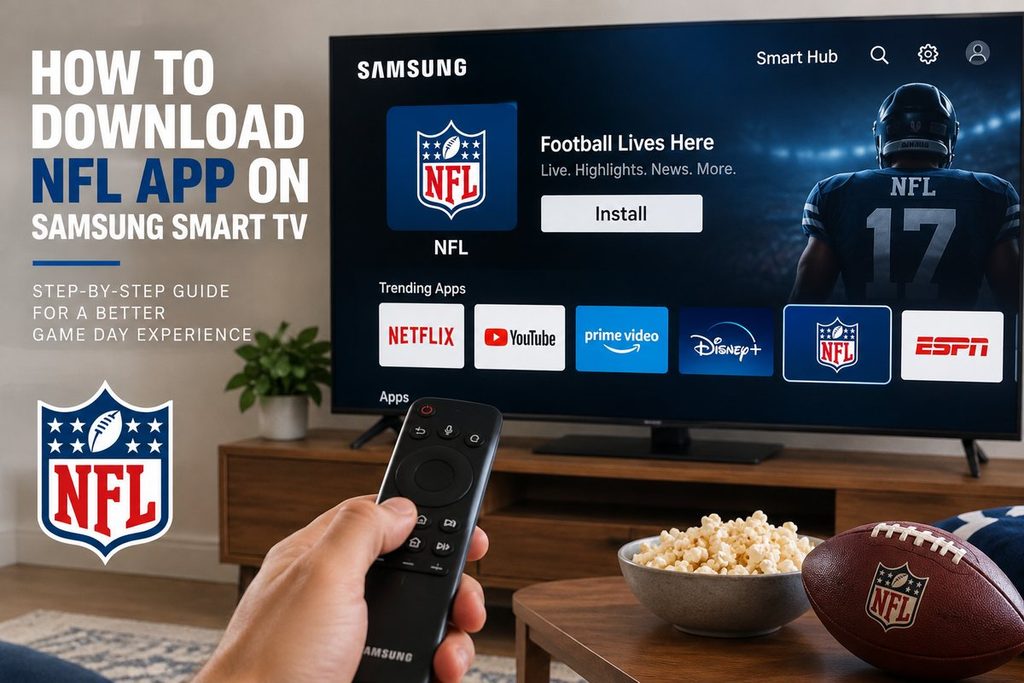
You can install the NFL app directly on supported Samsung Smart TVs.
For current NFL+ support, the NFL lists Samsung TVs from 2018 and newer among its compatible devices. Availability can still depend on your TV model, software version and region.
Quick Answer
To download the NFL app on a Samsung Smart TV:
- Press Home on your Samsung remote.
- Open Apps.
- Select Search.
- Search for NFL.
- Select the official NFL app.
- Choose Install.
- Select Open when installation finishes.
Samsung’s current support instructions use essentially this same process for installing Smart TV apps.
If the NFL app does not appear in search, your Samsung TV model, software version or region may not support it.
Which Samsung TVs Support the NFL App?
According to the NFL’s current device compatibility information, NFL+ has been tested and optimized for:
Samsung TVs from 2018 and newer.
That does not guarantee that every Samsung TV in every country will show exactly the same app.
Samsung notes that available apps and menu options can vary according to:
- TV model
- software version
- region
So the easiest compatibility test is simply to open Apps on the TV and search for NFL.
Step 1: Open Apps
Turn on your Samsung Smart TV.
Press the Home button on the remote.
Navigate to:
Apps
You may need to sign into a Samsung account before downloading apps. Samsung currently states that a Samsung account is required to access its TV app store.
Step 2: Search for NFL
Inside Apps, select the Search option.
Type:
NFL
Look for the official NFL app.
If it appears, select it to open the app information page.
Step 3: Install the NFL App
Select:
Install
Wait for installation to finish.
Then select:
Open
Samsung also allows compatible apps to be added to the Home screen for quicker access later.
That’s the entire installation process.
Step 4: Sign In
Open the NFL app.
If you already have an NFL account, sign in using your existing credentials.
If you subscribe to NFL+ or NFL+ Premium, use the NFL account associated with that subscription.
The NFL confirms that NFL+ works through the NFL app on supported connected-TV devices, although the content you can watch differs by plan and device.
Can You Watch Live NFL Games on a Samsung TV With NFL+?
This is where the old article needs to be much clearer.
Having NFL+ does not mean that every live NFL game can be watched directly on your Samsung TV.
In the United States, NFL+ live local and nationally televised regular-season and postseason games are restricted to phones and tablets.
They are not generally available on connected TVs through a standard NFL+ subscription.
However, NFL+ does provide other connected-TV content.
For example, the NFL currently says NFL Network is available across supported devices, and NFL+ Premium provides NFL RedZone and full/condensed game replays across supported devices.
So think of it this way:
| NFL+ Content | Samsung TV |
|---|---|
| Live local/primetime games through NFL+ | No — mobile/tablet only |
| NFL Network | Yes, on supported devices |
| NFL RedZone with Premium | Yes, on supported devices |
| Full game replays with Premium | Yes |
| Condensed game replays with Premium | Yes |
| Highlights | Yes |
Availability remains subject to subscription and rights restrictions.
What If I Have a TV Provider?
This changes things.
The NFL allows users to authenticate participating TV-provider accounts through the NFL app.
Depending on your provider and market, this can provide access to games carried by NFL Network and local CBS, FOX and NBC stations.
The NFL specifically lists Samsung TV (2018 and newer) among supported devices for TV-provider authentication.
So if you already pay for an eligible cable or streaming-TV package, look for the provider sign-in option inside the NFL experience.
Can You Cast NFL+ Live Games to the Samsung TV?
For live local and primetime NFL+ games, generally no.
The NFL explicitly states that these live games are restricted to phones and tablets and cannot be cast to a television.
This is important because the old article makes casting sound like something that may simply fail because of technical limitations.
It is primarily a content-rights/device restriction.
Casting highlights or other eligible content may work, but that does not override restrictions on live games.
What If the NFL App Doesn’t Appear?
Try these steps before assuming your TV is unsupported.
Update the Samsung TV
Go to your Samsung TV’s settings and check for a software update.
Menu wording differs by model, but Samsung commonly places software updates under:
Settings → Support → Software Update
Install available updates and search for NFL again.
Check the Model Year
The NFL currently lists Samsung TVs from 2018 and newer as supported NFL+ devices.
If yours is older, the NFL app may not be available or may no longer receive full support.
Check Your Region
Samsung’s app selection varies by region.
If the NFL app does not appear even on a compatible television, regional availability may be the reason.
Do not reset your TV or change regions unnecessarily before checking whether NFL service is actually offered where you live.
What If Your Samsung TV Is Too Old?
You do not necessarily need a new television.
A separate streaming device may be easier.
The NFL currently supports connected platforms including:
- Apple TV
- Roku
- Amazon Fire TV
- Android TV / Google TV
- Xbox Series S and X
along with supported Samsung, LG and Vizio TVs.
Connect one of these devices to an HDMI port, install the NFL app on that device and use your existing television as the display.
Watching NFL Outside the United States
NFL+ itself is a U.S.-only service.
For users outside the United States, the NFL directs viewers to NFL Game Pass International through DAZN.
Therefore, if you’re outside the U.S. and primarily want live NFL games, installing the DAZN app on your Samsung TV may be more relevant than installing the NFL app.
Exact availability, pricing and rights depend on country.
NFL App Installed but Not Working?
Start with the simplest fixes.
Restart the TV
Close the app and restart the television.
If necessary, power-cycle the TV before opening NFL again.
Update the App and TV
Install available Samsung software updates and make sure your apps are current.
Reinstall the NFL App
If the app repeatedly crashes, remove it and reinstall it from Samsung Apps.
Samsung’s current documentation supports uninstalling and reinstalling compatible TV apps through the Apps interface.
Check Your Internet Connection
Try another streaming app.
If Netflix, YouTube or another service is also buffering, the problem is more likely your network than the NFL app.
FAQ
Is the NFL app available on Samsung Smart TVs?
Yes, on supported models.
The NFL currently lists Samsung TVs from 2018 and newer among supported NFL+ devices.
Is the NFL app free?
The app itself can be downloaded without purchasing NFL+.
However, particular content may require NFL+, NFL+ Premium, a participating TV provider or another service.
Can I watch every NFL game on my Samsung TV with NFL+?
No.
In the U.S., live local and primetime regular-season and postseason games included with NFL+ are restricted to phones and tablets.
Can I watch NFL RedZone on a Samsung TV?
NFL+ Premium includes NFL RedZone across supported devices.
Can I watch NFL game replays on my Samsung TV?
Yes.
NFL+ Premium includes full and condensed game replays across supported devices.
Why can’t I find the NFL app?
Common reasons include:
- unsupported/older TV
- outdated TV software
- regional app availability
Samsung notes that apps can vary by model, software and region.
Bottom Line
Installing the NFL app on a compatible Samsung Smart TV is simple:
Home → Apps → Search “NFL” → Install → Open.
The NFL currently lists Samsung TVs from 2018 and newer as supported NFL+ devices.
The more important issue is understanding what you can watch after installing it.
In the U.S., NFL+ live local and primetime games remain limited to phones and tablets, while NFL Network, NFL RedZone with Premium and game replays can be available across supported devices.
If you’re outside the U.S., check NFL Game Pass International through DAZN instead.